
Lufthansa
Lufthansa GroupTravel & Local
4.81.68K Reviews
- Version
- 9.634.0
- Installs
- 10.00M
- Age Rating
- Everyone
Screenshots
Our Review of Lufthansa
 Analysis by Appyee
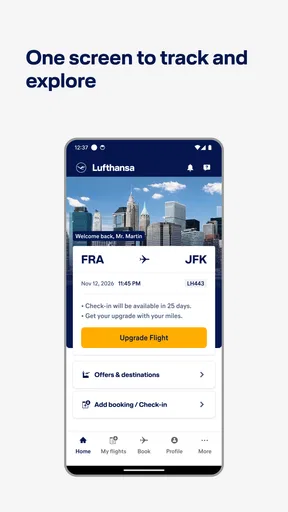
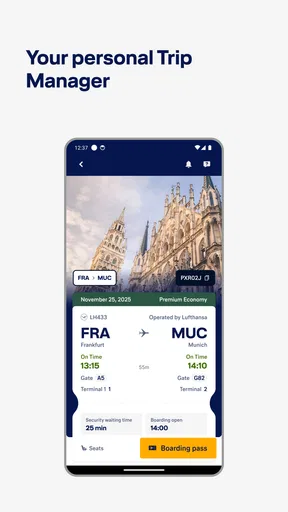
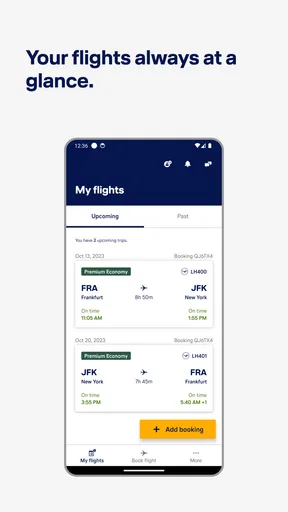
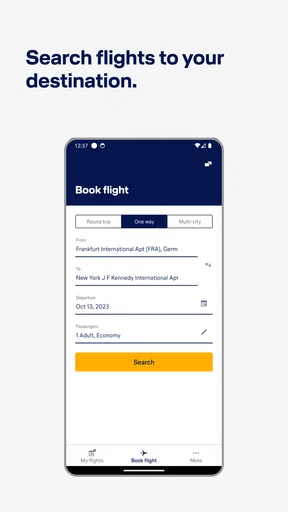
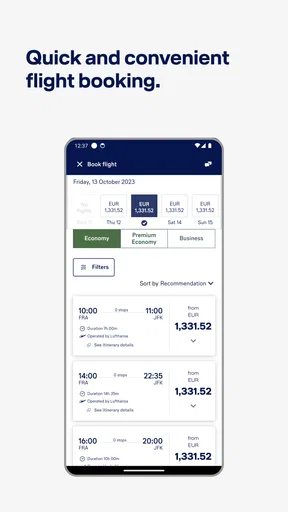
Air travel is stressful enough without having to search through several screens while standing in a queue, trying to remember a booking code, or checking whether a flight has changed. I found the Lufthansa app most useful when I treated it as a practical travel folder rather than simply a booking tool. It brings the main Lufthansa journey into one place: finding a flight, checking booking details, and completing online check-in.
That focus makes sense because this is a dedicated Travel & Local app from Lufthansa Group, not a general comparison service. It is free, available for everyone, and supports devices running Android or iOS from version 10 onward. The app has been around since April 27, 2010, and its current version is 9.634.0. Those details matter less than the everyday result: if Lufthansa is the airline I am flying, I can usually manage the trip without moving between the airline’s website, an email inbox, and a separate boarding-pass application.
My review concentrates especially on how clearly the app works for people travelling in different situations. A person with limited vision, someone using a phone one-handed, a traveller dealing with glare at an airport, or a passenger who simply becomes overwhelmed by busy interfaces may judge the same app very differently. Lufthansa is not perfect in every context, but its airline-specific approach gives it some practical advantages that a generic travel app cannot easily reproduce.
How the app handles readability and navigation
I find that readability is not just a matter of how much fits on screen; it is also about knowing where to look when time is short. In this section, I focus on how Lufthansa’s airline-specific layout can reduce searching, while noting why checking trip details somewhere calm is often easier than doing it in a crowded terminal.
A focused home for a Lufthansa journey
The strongest part of the experience is its narrow purpose. Instead of presenting hotel deals, unrelated destinations, or a large collection of travel services, the app keeps attention on Lufthansa flights and the information connected with them. I find that helpful when I am already travelling and need one answer quickly: what is on my booking, what flight am I looking at, or whether I can check in.
This kind of focus can reduce mental effort. A traveller who is tired, anxious, or unfamiliar with airport routines does not necessarily want a dashboard full of suggestions. The more useful question is whether the next action is obvious. In Lufthansa, the main travel tasks are close to the surface, so I spend less time deciding which part of the app to open first.
The experience is also easier to understand when I use it before the journey rather than waiting until I am at the airport. Reviewing the booking details in advance gives me a chance to notice a wrong date, an unfamiliar airport code, or a missing part of the itinerary while I still have time to investigate. That is a better workflow than trying to solve every problem at a departure gate.
Readable information is more than large text
For me, readable travel information means more than a generous font size. It also means separating flight details from secondary actions, presenting dates and times in a way that is easy to scan, and avoiding a screen that feels crowded when I am under pressure. Lufthansa benefits from being built around a limited set of airline tasks, although the amount of information on a booking can still feel dense when an itinerary includes multiple legs.
A useful habit is to open the relevant booking before reaching the airport and identify the flight number, departure time, and check-in route. I would not rely on memory or assume that a quick glance at the first screen is enough. If I were helping a family member who finds travel apps difficult, I would walk through the booking once at home and leave the app ready at the relevant trip view.
The app’s rating of 4.8, based on around 106 thousand ratings, suggests that many travellers find the overall experience dependable. I would interpret that as encouragement rather than a guarantee. Airline apps are judged during unusual moments, such as a disrupted itinerary or a crowded terminal, and a smooth normal booking does not automatically mean every difficult situation will be equally clear.
Navigation for people who need fewer decisions
One of the less obvious strengths of an airline-specific app is the reduction in translation work. A general travel application may show a reservation but leave me to work out which airline page, airport process, or check-in system applies. Lufthansa keeps the context together, which can help travellers who are not confident with aviation terminology.
That does not remove every possible point of confusion. Flight information can contain abbreviations, airport names, and several time references. I recommend checking the complete itinerary rather than relying on a notification or a single summary line. If a companion is assisting someone with cognitive or reading difficulties, it is sensible to agree beforehand which pieces of information matter most: the flight, the departure time, the airport, and the next action.
I also prefer using the app in a calm place when possible. At an airport, announcements, queues, glare, and poor connectivity compete for attention. The interface may be straightforward, but the surrounding environment can make any phone task harder. Preparing the booking before leaving home is therefore an accessibility strategy as much as a convenience.
Motor, sensory, and situational access
A clear screen helps, but access also depends on how someone holds a phone, responds to noise and glare, and manages a task while moving through an airport. I look at those real-world pressures here, including practical ways to prepare ahead and why the app works best as one part of a broader travel plan.
One-handed use and the pressure of airport movement
Travel changes how people hold and operate their phones. I may be carrying a suitcase, showing an identity document, holding a child’s hand, or wearing gloves in a cold terminal. That makes short, predictable interactions more valuable than elaborate browsing. Lufthansa is at its best when I use it to retrieve a known trip or complete a familiar step, rather than when I am trying to explore every possible option while moving through the airport.
For someone with limited dexterity, the practical question is whether the journey can be prepared in advance. Booking and checking details from a seated position removes some of the pressure from later. If another person is helping, the airline-specific structure also makes it easier to explain where the reservation should be found, instead of asking the helper to search across several unrelated services.
I would still avoid beginning a complicated booking process while walking or standing in a security line. That is not a criticism unique to Lufthansa; it is a realistic trade-off with any travel app. A small mistake in a passenger name, date, or selected flight can have consequences, and a hurried touchscreen interaction is a poor setting for careful entry.
Vision, hearing, and the importance of a backup plan
People with low vision often need more than a clean layout. They may depend on device-level text enlargement, contrast settings, screen readers, or magnification. I would test the Lufthansa app on the specific phone and with the specific assistive settings I plan to use before travelling. The app’s general clarity is useful, but I would not assume that every screen or every booking state will feel equally comfortable with those settings.
Travellers who are deaf or hard of hearing may also prefer to keep written flight information available rather than depending on announcements. The app can serve as a personal reference for the itinerary, but it should not be treated as the only source of airport information. Gate changes, operational instructions, and staff guidance can happen outside the app, so checking airport displays and asking staff remains important.
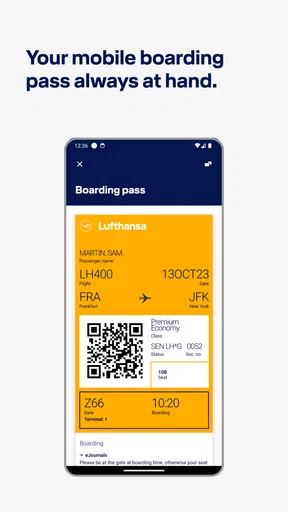
Glare is another everyday problem that is easy to overlook. A boarding pass or flight detail that looks clear indoors may be harder to read under terminal lighting or outside. I would increase the phone’s brightness before reaching the gate, keep the relevant screen easy to reopen, and avoid assuming that a screenshot or saved view will always be accepted in every travel situation. The safer approach is to keep the app available while also carrying the booking information I need in another accessible form.
A realistic day at the airport
Imagine I am travelling early in the morning with a small bag and a phone battery that I do not want to waste. Before leaving home, I open Lufthansa, review the itinerary, and complete online check-in if it is available for my journey. At the airport, I use the app as a quick reference instead of repeatedly searching email. If I need to show travel information, I have already practised reaching the right screen.
That workflow helps a traveller with attention difficulties because it separates preparation from execution. It also helps someone who uses a mobility aid or needs extra time between airport steps: fewer decisions have to be made while moving. If my plans change, I would compare what the app shows with airport screens and staff instructions rather than assuming that one source is complete.
The important insight is that the app’s accessibility value comes partly from timing. Used at home, it can make the airport experience calmer. Used for the first time in a crowded terminal, it becomes just another task competing with physical navigation and communication. I would recommend setting up the journey early, not because the app is unusually complicated, but because travel itself is demanding.
Where it beats general travel alternatives
A flight comparison app is better when I am still deciding between airlines, comparing broad schedules, or searching for routes across several carriers. Lufthansa is not designed to replace that kind of search. Its advantage begins after Lufthansa becomes part of my actual plan. The booking context, airline-specific check-in process, and flight details are more relevant than a generic itinerary page.
An email inbox can store confirmations, but it is a poor travel companion when I need to find one important detail among newsletters and unrelated messages. A calendar can remind me of departure time, but it usually does not provide the same airline-focused path into the trip. The Lufthansa app is more useful for active management, while those alternatives remain valuable as backups and reminders.
For a mixed-airline journey, the comparison is less favourable. If my trip includes several carriers, I may still need other airline apps, a booking platform, or a travel organiser to see everything together. Lufthansa works best as the authoritative companion for the Lufthansa portion, not necessarily as my only travel tool for an entire complex itinerary.
Remaining barriers and honest limitations
The first limitation is dependence on the phone. A dead battery, damaged screen, forgotten passcode, or unreliable connection can turn a convenient digital process into a stressful problem. I would charge the device before departure and keep essential booking information accessible in a backup form. This is particularly important for travellers who cannot easily ask another person to read a screen or navigate an app for them.
The second limitation is that airline apps cannot solve every accessibility need at the airport. The app may help me understand my flight, but it cannot replace physical assistance, clear signage, accessible transport through a terminal, or patient communication from staff. Someone with significant mobility, vision, hearing, or cognitive support needs should plan the complete airport journey rather than judging accessibility only by the phone interface.
The third is that the most useful information may be spread across different stages of the journey. Booking, check-in, airport procedures, and disruption handling are related but not identical tasks. I would not assume that seeing a reservation means every later step is ready, or that a completed digital action removes the need to follow airport instructions. The app reduces friction; it does not remove the responsibilities of checking the journey.
There is also a trade-off between simplicity and depth. Keeping the experience focused helps me find routine travel details, but travellers who want broad trip planning, hotel management, or a combined view of several airlines may prefer a wider travel platform. That is not a weakness if I only need Lufthansa; it becomes a limitation when my travel arrangements extend beyond the airline’s own services.
Who should use it, and who may prefer something else?
I would recommend Lufthansa to anyone flying with Lufthansa who wants a central place for flight details and online check-in. It is especially useful for frequent passengers who do not want to repeat the same website search, families coordinating a booking, and travellers who benefit from preparing information before reaching a busy terminal.
I also think it is a good choice for people who prefer a focused interface over a general travel dashboard. The app has passed ten million installs, which reflects broad adoption, and its Everyone age rating makes it suitable for a wide range of users. Still, popularity does not decide whether it fits an individual’s needs. A person who rarely flies Lufthansa, travels only with other airlines, or needs a complete multi-provider itinerary may gain more from a broader travel organiser.
Users who rely heavily on assistive technology should test their own device configuration before departure. I would pay attention to whether the booking details, check-in steps, and any travel document screens remain comfortable with enlarged text, spoken feedback, or alternative input methods. If an important screen is difficult to operate, I would contact the airline or arrange human assistance rather than waiting until the airport.
My inclusive verdict
After using it as a travel companion, I see Lufthansa as a practical, airline-specific tool rather than a complete solution to every travel problem. Its clearest benefit is concentration: the app keeps the Lufthansa journey together and makes preparation easier than relying on scattered emails or a generic calendar. That focus can support different abilities because it reduces searching and allows important steps to be handled before the pressure of the airport.
The best results come from a deliberate routine. I would review the booking in a quiet place, complete the available preparation early, check that the text and controls work with my personal device settings, charge the phone, and keep a backup of essential information. Those steps are especially valuable for people affected by glare, limited dexterity, low vision, hearing barriers, attention difficulties, or travel anxiety.
My final recommendation is positive, with a clear boundary: use it when Lufthansa is central to the trip, but do not mistake it for a substitute for airport displays, staff, accessibility planning, or a backup travel record. The free price removes an obvious barrier, and the strong 4.8 average from around 106 thousand ratings shows that the experience works well for many people. For a Lufthansa passenger who wants a focused way to book, review, and check in, I would install it. For a multi-airline traveller seeking one universal travel command centre, I would pair it with another tool instead.
Verdict
Strengths of Lufthansa
- Easy mobile check-in and digital boarding passes
- Real-time flight updates and gate change notifications
- Manage bookings, seats, and travel documents in one place
- Miles & More integration for frequent flyers
- Useful airport maps and connection information
Limitations of Lufthansa
- Some features require a Miles & More account
- App performance can vary during busy travel periods
- Changes and refunds may redirect you to customer service
- Extra fees may apply for preferred seats or added baggage
- Flight information may update slower during disruptions
Similar Picks in This Category
View All
Google Maps
Google LLC3.4

Google Maps Go
Google LLC4.1

Booking.com: Hotels & Travel
Booking.com Hotels & Vacation Rentals4.8

Google Earth
Google LLC3.8

Skyscanner Flights Hotels Cars
Skyscanner Ltd4.8

trivago: Compare hotel prices
trivago N.V.4.4
Frequently Asked Questions
What can I do with the Lufthansa app?
The Lufthansa app is a mobile travel companion for managing flights and travel details. After signing in, you can search and book flights, check in, access mobile boarding passes, review your itinerary, receive travel notifications, and manage selected booking options. It can also provide information about flight status, airport procedures, baggage, and available services, although the exact features may depend on your route and booking type.
Can I check in and use a mobile boarding pass with Lufthansa?
Yes, the Lufthansa app generally allows eligible passengers to check in for their flight and save a mobile boarding pass on their phone. Check-in availability depends on the airport, destination, flight, and passenger circumstances, so it may not always open at the same time or be supported everywhere. Keep your identification documents available, and consider downloading the pass before arriving at the airport.
Can I manage my booking through the Lufthansa app?
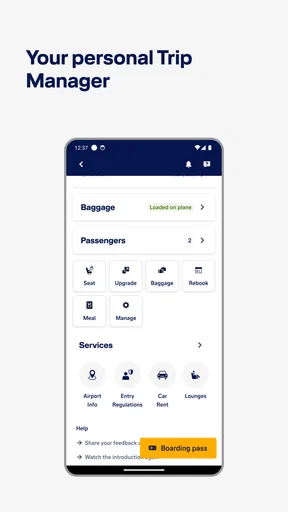
In many cases, you can use the app to view your reservation, confirm flight details, select or change seats, add certain services, and review baggage information. Available options depend on your fare, itinerary, loyalty status, and whether the booking was made directly with Lufthansa or through another provider. Some changes may require additional payment or assistance from customer service.
Does the Lufthansa app provide live flight updates and travel notifications?
The app can display flight status information and may send notifications about schedule changes, boarding, gate updates, delays, cancellations, or other important travel events. To receive alerts reliably, allow notifications and keep your contact and booking information current. Airport displays and staff instructions remain important because gate and operational details can change quickly.
Is the Lufthansa app free, and does it work without an internet connection?
The Lufthansa app is generally free to download, but normal mobile data or Wi-Fi charges may apply when you search, book, synchronize information, or receive updates. Some saved content, such as a previously downloaded boarding pass or itinerary, may remain accessible offline. However, live flight updates, booking changes, and many account features require an active internet connection.
